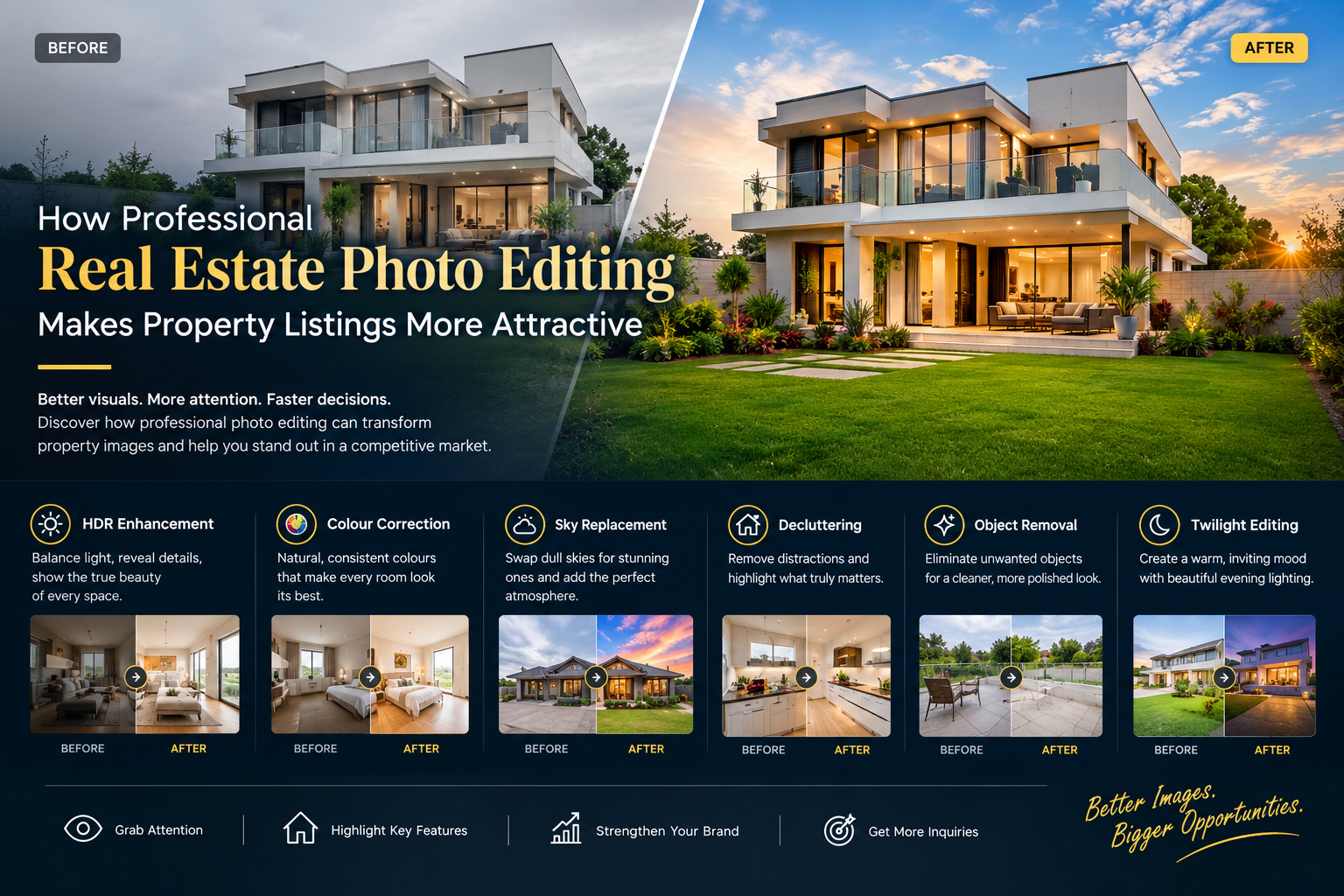
Photo Editing

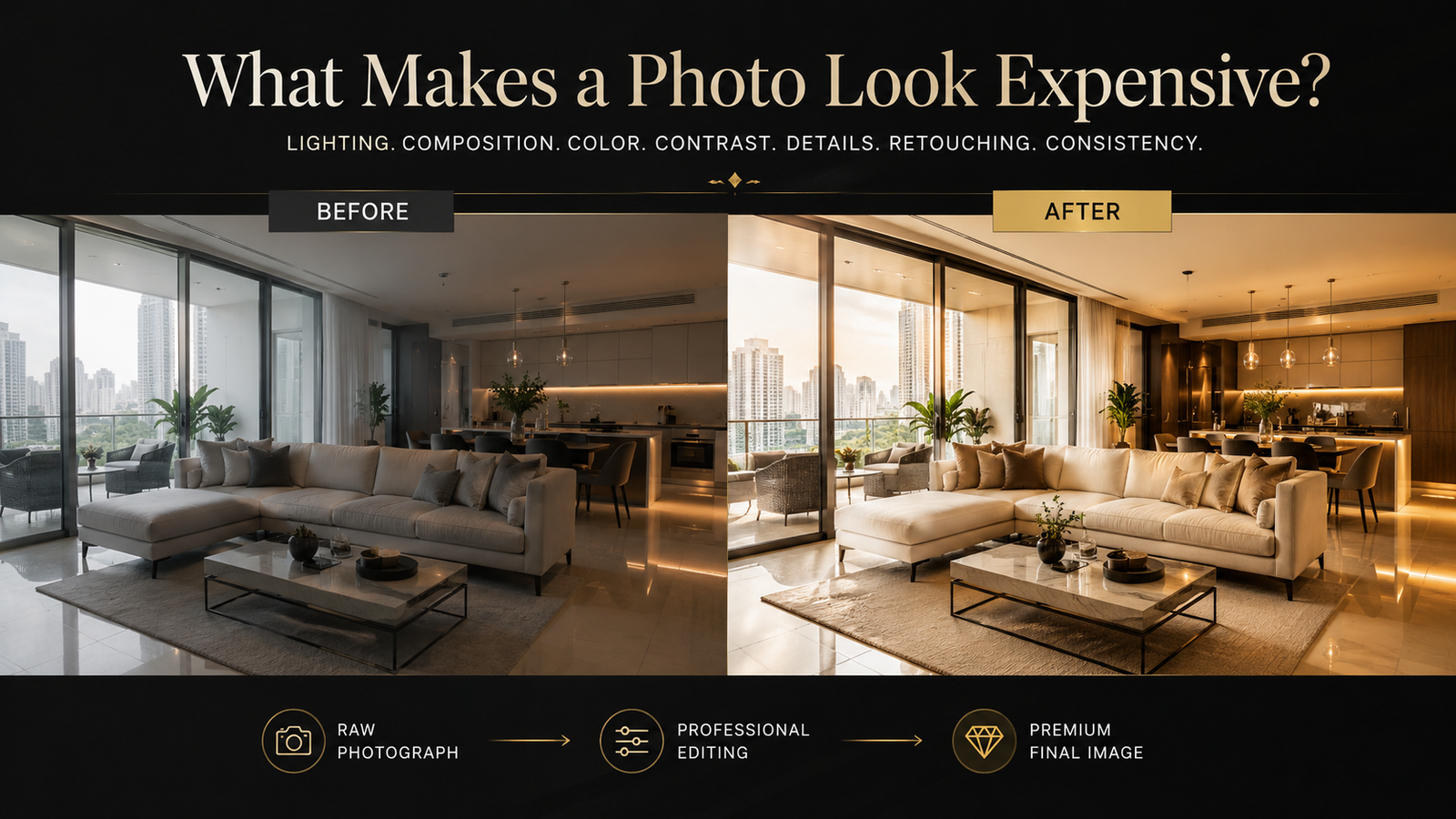
What Makes a Photo Look Expensive?

Discover what makes a photo look expensive from lighting and composition to color correction, retouching, perspective, and professional photo editing.

11 Aug 2026, 11:07 AM
What Makes a Photo Look Expensive?

What Makes a Photo Look Expensive? 10 Secrets Behind Premium-Looking Images

A premium-looking photograph isn't necessarily about an expensive camera, luxury location, or complicated editing. It's about control.

Have you ever looked at two photographs of the same type of subject and immediately felt that one looked significantly more expensive?

Perhaps one is a luxury property, fashion campaign, product photograph, portrait, or automotive image. Both may be technically good, yet one feels polished, sophisticated, and high-end, while the other feels ordinary.

What creates that difference?

The answer is rarely one editing trick.

A photograph looks expensive when multiple visual elements work together: lighting, composition, color, contrast, perspective, detail, retouching, background, and consistency.

Professional photography editing brings these elements together during post-production, but the process begins much earlier—with how the photograph is captured and how its visual story is planned.

Let's examine what really creates a premium photographic look.


1. Premium Photography Starts With Intentional Lighting

Lighting is one of the strongest foundations of professional photography.

It determines how viewers perceive depth, texture, shape, dimension, and mood. Good lighting doesn't simply make a photograph brighter. It controls where attention goes.

Harsh or uncontrolled lighting can create:

  • Blown-out highlights
  • Heavy shadows
  • Flat-looking subjects
  • Unwanted reflections
  • Uneven exposure
  • Distracting color casts

Professional photography aims for intentional light.

For example, soft directional light can create dimensionality in a portrait. Controlled lighting can reveal the texture of a luxury product. Balanced interior lighting can make a property feel spacious without making it look artificially bright.

The important lesson

Premium lighting is controlled lighting—not necessarily brighter lighting.

This distinction is especially important in real estate photography, where bright windows and darker interiors can create a difficult exposure range. HDR blending and exposure correction can help balance these areas while maintaining a believable appearance.


2. Composition Makes an Image Feel Deliberate

A photograph can contain a beautiful subject and still look ordinary if the composition is weak.

Premium photography usually feels intentional because the photographer has considered:

  • Subject placement
  • Negative space
  • Perspective
  • Leading lines
  • Symmetry
  • Framing
  • Balance
  • Visual hierarchy

The viewer should quickly understand what matters.

For example, imagine a luxury watch photographed on a cluttered table. The watch may be expensive, but the photograph doesn't communicate that value effectively.

Place the same watch against a carefully controlled background, use appropriate negative space, and direct the light toward the product—and the perceived presentation changes dramatically.

Ask yourself:

Where does the viewer's eye go first?

If the answer isn't obvious, the composition may need improvement.


3. Accurate Color Is a Hidden Sign of Quality

Color can make an image look refined—or immediately make it look amateur.

A white wall that looks yellow, a luxury car with inaccurate paint color, or skin tones that appear excessively orange can reduce the perceived quality of an otherwise excellent photograph.

This is why professional color correction is such an important part of photo post-production.

Color correction may involve:

  • White balance
  • Exposure-related color adjustments
  • Highlight and shadow color
  • Skin tone correction
  • Product color accuracy
  • Selective color adjustments
  • Overall consistency

Color correction is not the same as color grading.

Color correction focuses on accuracy and balance.

Color grading creates a specific visual mood or style.

A real estate photographer may want neutral, natural colors. A fashion campaign may deliberately use a warmer, cooler, or cinematic grade.

Both can be professional—but they have different purposes.


4. Controlled Contrast Creates Depth

Contrast is one of the easiest editing tools to misuse.

Increase it too little and the photograph can appear flat.

Increase it too much and the image can look harsh or overprocessed.

Professional photo editing uses contrast selectively to create separation between visual elements.

In an interior photograph, for example, subtle contrast can help distinguish:

  • Furniture from walls
  • Architectural details from backgrounds
  • Light areas from shadow areas
  • Different materials and textures

The goal isn't to make every part of the photograph dramatic.

The goal is to create depth without destroying realism.

A premium image often has enough contrast to feel dimensional but enough tonal detail to remain comfortable to view.


5. Clean Details Make Expensive Subjects Look Expensive

Small imperfections can have a surprisingly large effect on perceived quality.

Consider product photography.

A tiny fingerprint on a glossy surface, dust particle, scratch, unwanted reflection, or fabric wrinkle can distract from the product.

Similarly, in commercial portraits, distracting blemishes or temporary imperfections may draw attention away from the subject.

Professional photo retouching addresses these distractions carefully.

The key word is carefully.

High-end retouching doesn't mean removing every natural characteristic.

It means understanding what should remain and what should be corrected.

The professional retouching principle:

Remove distractions without removing authenticity.

This is what separates sophisticated retouching from excessive manipulation.


6. Backgrounds Have More Influence Than You Think

A cluttered background can make an expensive subject look ordinary.

This is particularly obvious in:

  • eCommerce photography
  • Product photography
  • Fashion photography
  • Portrait photography
  • Automotive photography
  • Real estate photography

A clean background creates visual focus.

For eCommerce brands, professional background removal, clipping paths, masking, and background replacement can also create consistency across a product catalog.

Imagine 500 products photographed under different conditions.

If every image has different:

  • Background color
  • Crop
  • Shadow
  • Exposure
  • Product position

the website may feel inconsistent.

A standardized editing workflow can turn those individual images into a cohesive visual collection.


7. Perspective Correction Can Transform Real Estate Photography

Perspective is particularly important when photographing architecture and interiors.

Wide-angle lenses and camera positioning can cause vertical lines to appear tilted or walls to look distorted.

These issues may not be obvious when taking the photograph but can become very noticeable when the image is displayed on a large screen.

Professional real estate photo editing may include:

  • Vertical correction
  • Lens correction
  • Perspective adjustment
  • Window view enhancement
  • HDR blending
  • Exposure balancing
  • Natural sky replacement where appropriate

The objective should not be to create an unrealistic property.

The objective is to present the space clearly, accurately, and attractively.

That distinction matters.


8. Sharpness Should Reveal Detail—Not Reveal the Editing

Sharpness is another area where restraint matters.

A common misconception is:

More sharpness = better photograph.

In reality, excessive sharpening can create halos, harsh edges, amplified noise, and unnatural textures.

Professional image enhancement looks at the entire detail structure of the photograph.

The objective is to create an image that feels:

Crisp + Detailed + Natural

rather than:

Oversharpened + Artificial + Harsh

This becomes particularly important for products, jewelry, automobiles, architecture, and fashion imagery where texture is part of the visual story.


9. Consistency Is What Makes a Brand Look Premium

One photograph can look expensive.

But consistency is what makes an entire brand look expensive.

Think about a professional fashion or eCommerce website.

The photography usually follows a visual system.

The images may share:

  • Similar lighting
  • Consistent backgrounds
  • Matching color treatment
  • Similar cropping
  • Consistent shadows
  • Consistent product positioning
  • Similar retouching standards

This consistency creates familiarity and professionalism.

It is especially important for businesses handling hundreds or thousands of images.

A strong batch photo editing workflow can help maintain the same visual standards across an entire collection.

The result isn't simply a group of edited photographs.

It becomes a visual identity.


10. The Best Photo Editing Is Often Invisible

This may be the most important secret behind premium-looking photography.

Professional editing should not necessarily look like editing.

When someone sees an image and says:

“That looks heavily edited,”

the editor may have pushed the image too far.

The ideal reaction is often:

“That looks incredible.”

The viewer doesn't need to know why.

Professional editors make decisions about:

  • Exposure
  • Color
  • Contrast
  • Retouching
  • Masking
  • Perspective
  • Texture
  • Shadows
  • Highlights
  • Backgrounds

These adjustments work together to create a polished final image.

The editing becomes invisible because the photograph simply feels right.


Why “Expensive” Is Really About Perceived Value

There is an important psychological principle behind premium photography.

People often use visual presentation as a shortcut for evaluating quality.

Consider two online products with identical specifications.

One has:

  • Poor lighting
  • Inconsistent colors
  • A distracting background
  • Uneven cropping

The other has:

  • Clean lighting
  • Accurate colors
  • Consistent framing
  • Professional retouching
  • High-quality detail

The product itself hasn't changed.

The perception of the product has changed.

That is why professional photography matters to brands.

Photography isn't merely documentation.

For many businesses, it is part of the customer experience and brand communication.


AI Photo Editing: Faster Doesn't Always Mean Better

AI has transformed modern photo editing workflows.

AI-powered tools can accelerate tasks such as:

  • Background removal
  • Object selection
  • Mask creation
  • Noise reduction
  • Image enhancement
  • Sky replacement
  • Batch processing

This can dramatically improve productivity.

But automation doesn't eliminate the need for judgment.

An AI system may identify an object correctly—but should it be removed?

It may brighten a room—but does the result still look natural?

It may increase detail—but has the texture become artificial?

It may change the colors—but do they still match the brand?

These are creative and contextual decisions.

Research into AI-based professional retouching also highlights the challenge of maintaining fidelity and control when automating sophisticated editing workflows.

The strongest modern workflow is therefore often:

AI efficiency + professional editing + human quality control

rather than AI replacing every creative decision.


How to Make a Photo Look More Expensive: A Practical Checklist

Before publishing an image, ask these questions:

Lighting

Is the subject properly illuminated without losing important highlights or shadows?

Color

Are whites neutral and important colors accurate?

Composition

Is there a clear focal point?

Background

Is anything distracting the viewer?

Perspective

Do architectural lines and objects appear natural?

Detail

Does the image look sharp without appearing oversharpened?

Retouching

Have distractions been removed without destroying natural texture?

Consistency

Does this image look like it belongs with the rest of the brand's photography?

Final output

Does the image still look good on the platform where it will actually be used?

That final question is often overlooked.

A photograph intended for an eCommerce product page, Instagram post, luxury brochure, property listing, or billboard may require different preparation and cropping.


The Premium Photo Editing Formula

If you want a simple framework to remember, use this:

Intentional Photography
↓
Accurate Exposure
↓
Balanced Color
↓
Controlled Contrast
↓
Natural Retouching
↓
Clean Details
↓
Consistent Presentation
↓
Professional Quality Control

That's what creates the polished appearance people often describe as “expensive.”

It isn't about adding more effects.

It's about making better decisions.


Final Thoughts: Expensive-Looking Photos Are Built, Not Bought

You don't need the most expensive camera to create a premium-looking photograph.

You need to understand what makes an image visually convincing.

Lighting creates dimension.

Composition creates focus.

Color creates consistency.

Contrast creates depth.

Retouching removes distractions.

Perspective creates realism.

Professional post-production brings everything together.

And when these elements work together, an ordinary photograph can become a powerful commercial image.

For photographers, this can strengthen a portfolio.

For real estate professionals, it can improve property presentation.

For eCommerce brands, it can create a more consistent product experience.

For fashion brands, it can reinforce a luxury visual identity.

The real secret isn't making a photograph look artificially expensive.

It is making the photograph look intentional, polished, credible, and valuable.

Because your audience may never notice every editing decision.

But they will notice the overall impression.

And that impression starts with the image.

Frequently Asked Questions

1. What makes a photo look professional?

A professional-looking photo usually combines good lighting, intentional composition, accurate color, controlled contrast, clean backgrounds, natural retouching, appropriate sharpness, and consistent post-production. Professional photo editing can refine these elements without making the image appear artificial.

2. How can I make my photos look more expensive?

Start with good lighting and composition before editing. Then focus on accurate white balance, controlled contrast, clean backgrounds, natural retouching, perspective correction, and consistent color. Avoid excessive saturation, sharpening, skin smoothing, or HDR effects, as over-editing can reduce the premium appearance.

3. Can professional photo editing improve business photography?

Yes. Professional photo editing can help businesses create more consistent and polished images for eCommerce, real estate, fashion, advertising, catalogs, websites, and social media. Services such as color correction, background removal, product retouching, HDR editing, masking, clipping paths, and image enhancement can help establish a stronger visual presentation.


Give Your Images a Professional, Premium Finish

If your business depends on photography, the quality of your post-production can directly influence how your visual content is perceived.

Image Solutions India provides professional photo editing and image post-production solutions for photographers, eCommerce brands, real estate professionals, agencies, retailers, and businesses.

Services include:

  • Professional photo retouching
  • Color correction
  • Background removal
  • Clipping path and masking
  • Product photo editing
  • Real estate photo editing
  • HDR image editing
  • Image enhancement
  • Fashion retouching
  • Bulk photo editing

Whether you need a few high-end images or consistent editing across a large image library, a structured professional workflow can help you maintain quality at scale.

Talk to Image Solutions India today

+91 97381 67163
 sales@imagesolutionsindia.com
www.imagesolutionsindia.com

Get a Free Consultation →


The Human-AI Hybrid Advantage

While automated background removal models can process basic isolated shapes in milliseconds, complex apparel transparencies, loose hair textures, and fine footwear mesh panels require human expert QA oversight for precision. By combining automated batch pre-processing with expert pen-tool clipping workflows, global brands can reduce editing production timelines significantly.

Need high-precision background masking for an upcoming catalog launch? Upload your raw image files and receive your first 3 assets completely free of charge.

Get Free Sample ➜
Related Insights & Case Studies

How Photographers Can Deliver Wedding Galleries Faster Without Sacrificing Quality

How Photographers Can Deliver Wedding Galleries Faster Without Sacrificing Quality

For wedding photographers, the job doesn't end when the last photograph is captured. After the wedding day comes one of the most time-consuming parts of the business: sorting, editing, retouching, exporting, and delivering hundreds or even thousands of photographs. Clients naturally want to see their wedding memories as soon as possible. At the same time, photographers cannot afford to rush the editing process and compromise the consistency or quality of their work.

Read Full Article

AI Can Edit in Seconds. But Should AI Decide the Final Look of a Photograph?

AI Can Edit in Seconds. But Should AI Decide the Final Look of a Photograph?

Discover how AI is transforming professional photo editing by automating background removal, color correction, noise reduction, and batch processing. Explore where AI delivers exceptional speed and efficiency, where human creativity remains irreplaceable, and why the best results come from combining advanced AI technology with skilled editors. Learn how this hybrid approach preserves authenticity, brand consistency, emotional storytelling, and premium image quality.

Read Full Article

The Future of E-commerce Product Photography in 2026

The Future of E-commerce Product Photography in 2026

Discover how AI-powered technology and professional photography are reshaping eCommerce product visuals in 2026. Explore how the hybrid approach combines human creativity, product accuracy, and advanced AI workflows to help brands create authentic, scalable, and high-converting images that enhance customer trust, improve engagement, and drive online sales.

Read Full Article